Apps
Duplicate Finder for Windows
xDuplicates
Version 1.0.148
Free
No subscription
Local scanning
Recycle Bin support
8 languages
Find duplicates. Preview safely. Clean with confidence.
xDuplicates is a free photo duplicate finder and Windows duplicate-file finder built for careful cleanup. Scan duplicate photos, screenshots, camera imports, videos, documents, archives, and custom file types, preview results before deleting, and remove only the files you choose.
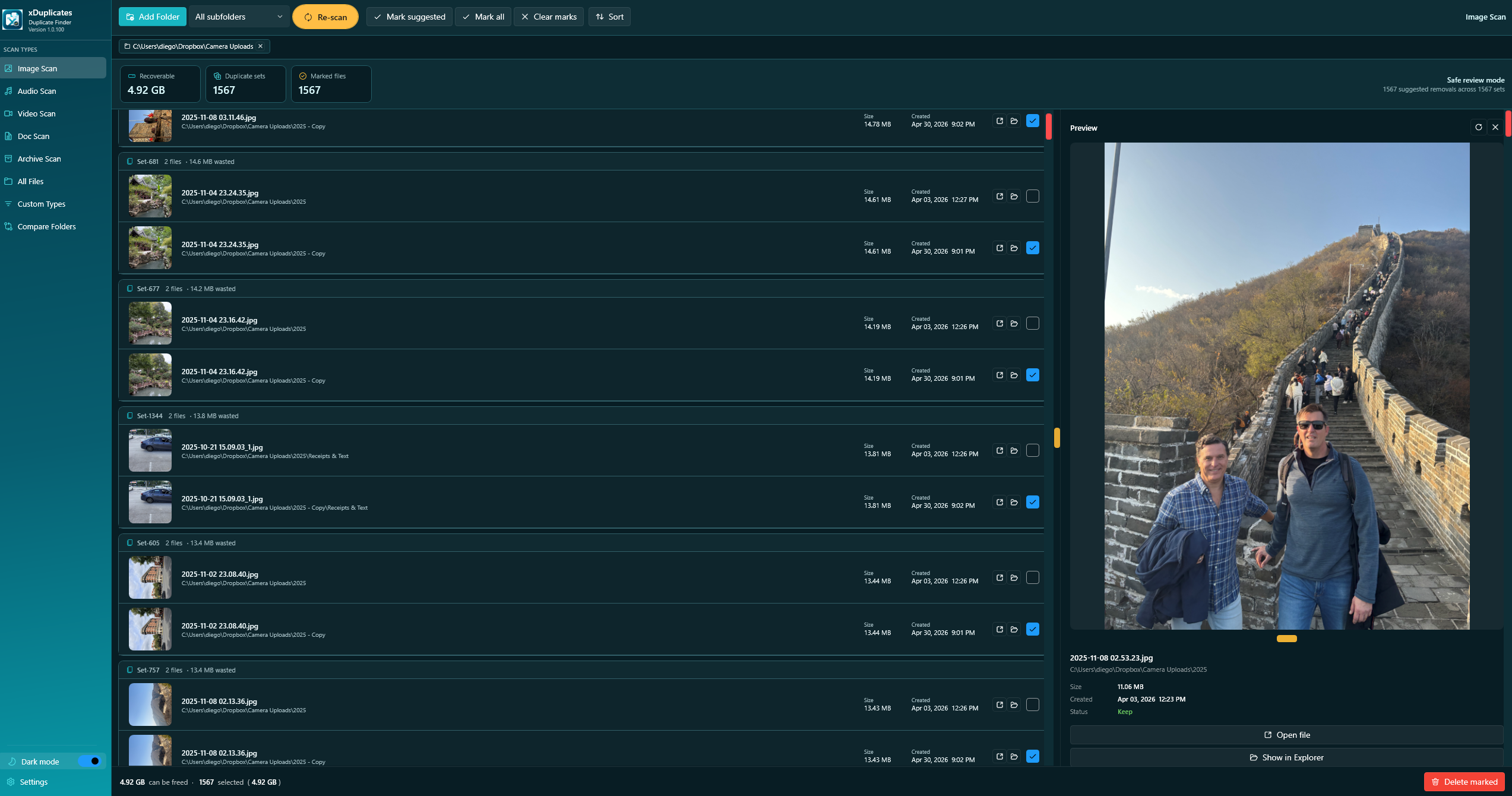
Photo duplicate finder for Windows.
Use xDuplicates to find duplicate photos, duplicate screenshots, copied camera imports, and repeated image files across selected folders. Preview image matches locally before cleanup, review file paths and sizes, then delete only the duplicate photos you choose.
Free by design. Local-first by default.
xDuplicates helps Windows users find duplicate photos, videos, documents, archives, and other files with safer previews, smart cleanup tools, and local-only scanning.
Preview what you are cleaning.
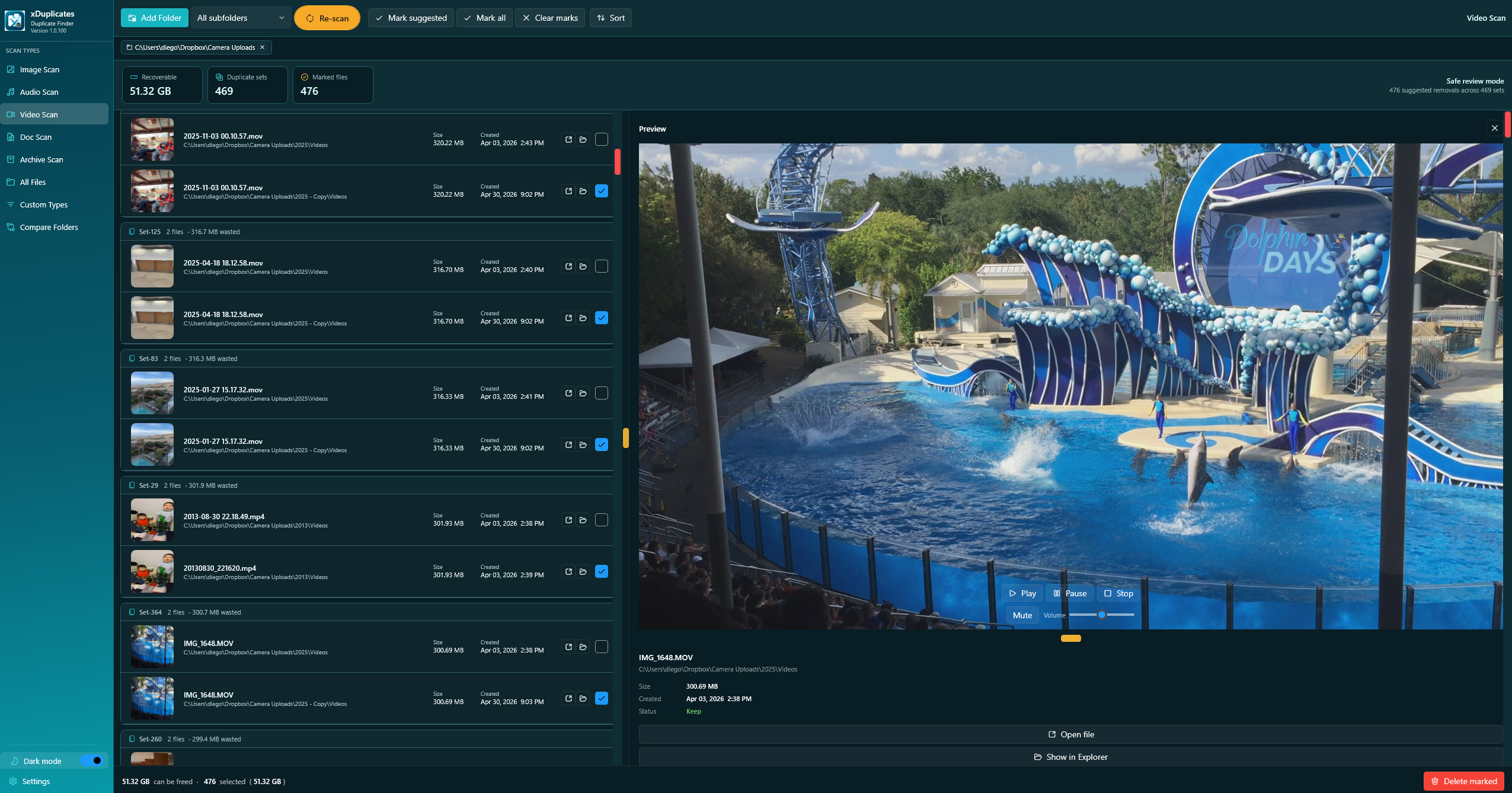
Review image and video duplicates with thumbnails, selected totals, and clear preview panels.
Scan the file types that usually create clutter.
Use targeted scan modes for media, documents, archives, broad folder cleanup, or your own custom extensions.
Image Scan
Duplicate photos, screenshots, graphics, and camera imports.
Video Scan
Thumbnails plus built-in video preview controls.
Audio Scan
Music and sound files including MP3, WAV, FLAC, AAC, and more.
Document Scan
PDF, Office files, text files, spreadsheets, presentations, and CSV.
Archive Scan
ZIP, RAR, 7Z, TAR, GZ, CAB, ISO, and backup-style archives.
Compare Folders
Compare a master folder against copied or imported folders.
Same Content
Exact duplicate detection even when file names are different.
Custom Types
User-defined file extensions for specialized cleanup.
Supported file types
Scan common media, document, archive, and custom file extensions across selected folders.
Images
JPG, JPEG, PNG, GIF, BMP, TIFF, TIF, WEBP, HEIC, HEIF, RAW, CR2, NEF, ARW, DNG
Video
MP4, MKV, AVI, MOV, WMV, FLV, WEBM, M4V, MPG, MPEG, TS, MTS, 3GP
Audio
MP3, WAV, FLAC, AAC, OGG, WMA, M4A, AIFF, OPUS, APE
Documents
PDF, DOC, DOCX, XLS, XLSX, PPT, PPTX, TXT, RTF, ODT, ODS, ODP, CSV
Archives
ZIP, RAR, 7Z, TAR, GZ, BZ2, XZ, CAB, ISO
Custom
User-defined extensions for specialized cleanup workflows.
Privacy and trust
xDuplicates scans files locally on the user's Windows PC. Scanned files, file contents, thumbnails, previews, and folder contents are not uploaded to xDuplicates servers.
- Local scansFiles are scanned on your device, not uploaded for duplicate detection.
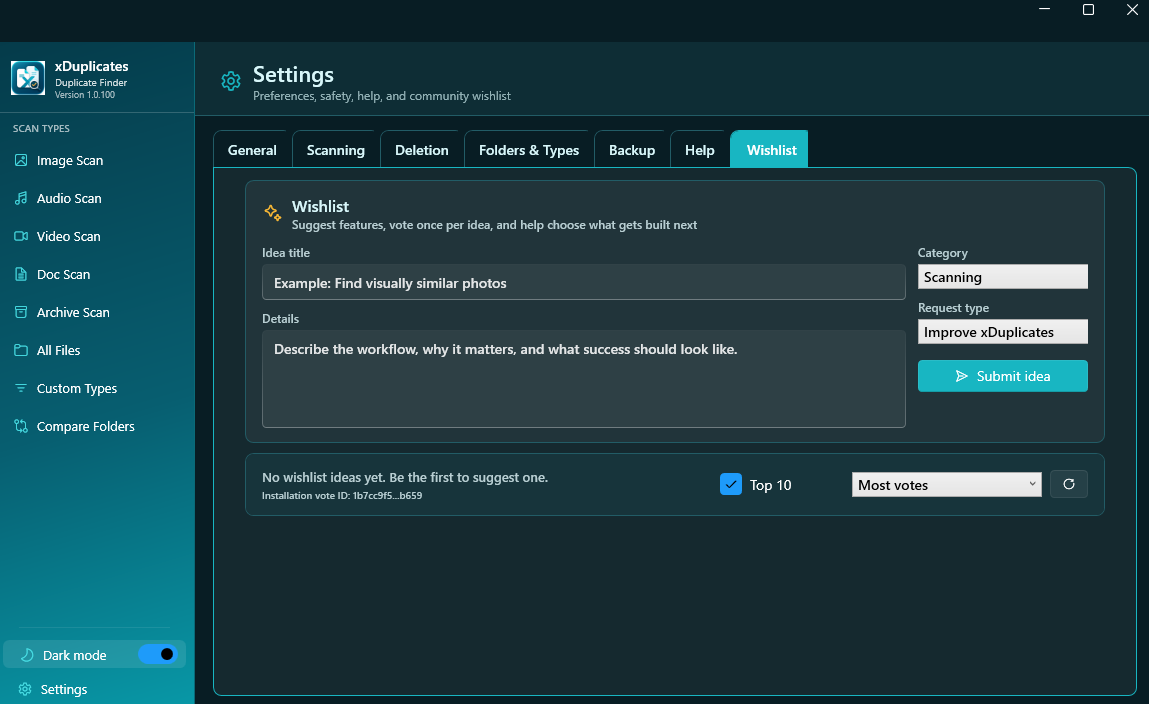
- WishlistWishlist ideas can submit idea text, category, app version, and an anonymous installation voting ID to Supabase.
- Stripe donationsDonations are processed by Stripe. xDuplicates does not process or store card numbers.
- Delete controlxDuplicates deletes only files selected or marked for deletion, using Recycle Bin or permanent deletion depending on settings.
Keep xDuplicates free.
xDuplicates is free by design: no trial limits, no locked cleanup button, and no subscription. Donations help fund testing, code signing, safer delete workflows, previews, and new user-requested features.
FAQ
Yes. xDuplicates is free to use. Donations are optional and help support continued development.
No. File scanning happens locally on your Windows PC. Your scanned files and file contents are not uploaded to xDuplicates servers.
Yes. xDuplicates supports image previews, video playback, PDF preview, and readable text/document previews where available.
If the app is set to Recycle Bin deletion, deleted files can usually be restored from the Recycle Bin. xDuplicates also shows a cleanup summary after deletion.
Same Content compares file contents to find exact duplicates, even when file names are different. Same Name finds files with matching names for manual review.
Yes. Current languages include English, Spanish, German, Japanese, French, Indonesian, Portuguese, and Simplified Chinese.